Android system software that cuts screen time
Built for weak moments.A digital detox system that keeps your phone within the lines you draw
Block distracting apps or give them a daily limit — nothing is deleted. Leaving takes the wait you chose at setup — none in the first 24 hours or during the free trial.
No automatic charge. Plans start at $19₺499.
On your phone? You can leave your email here — your setup code arrives in your inbox, and you pick up where you left off at a computer.
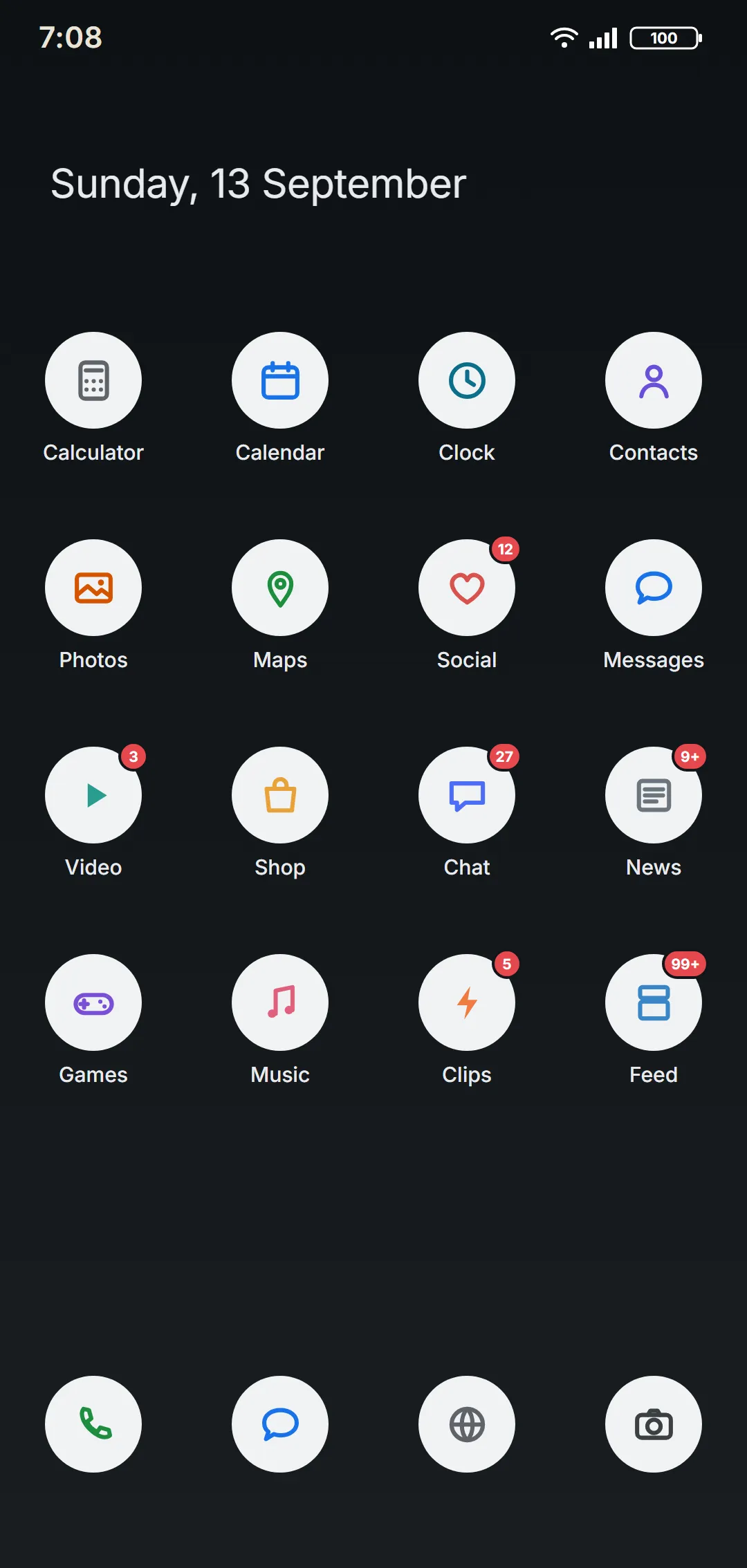
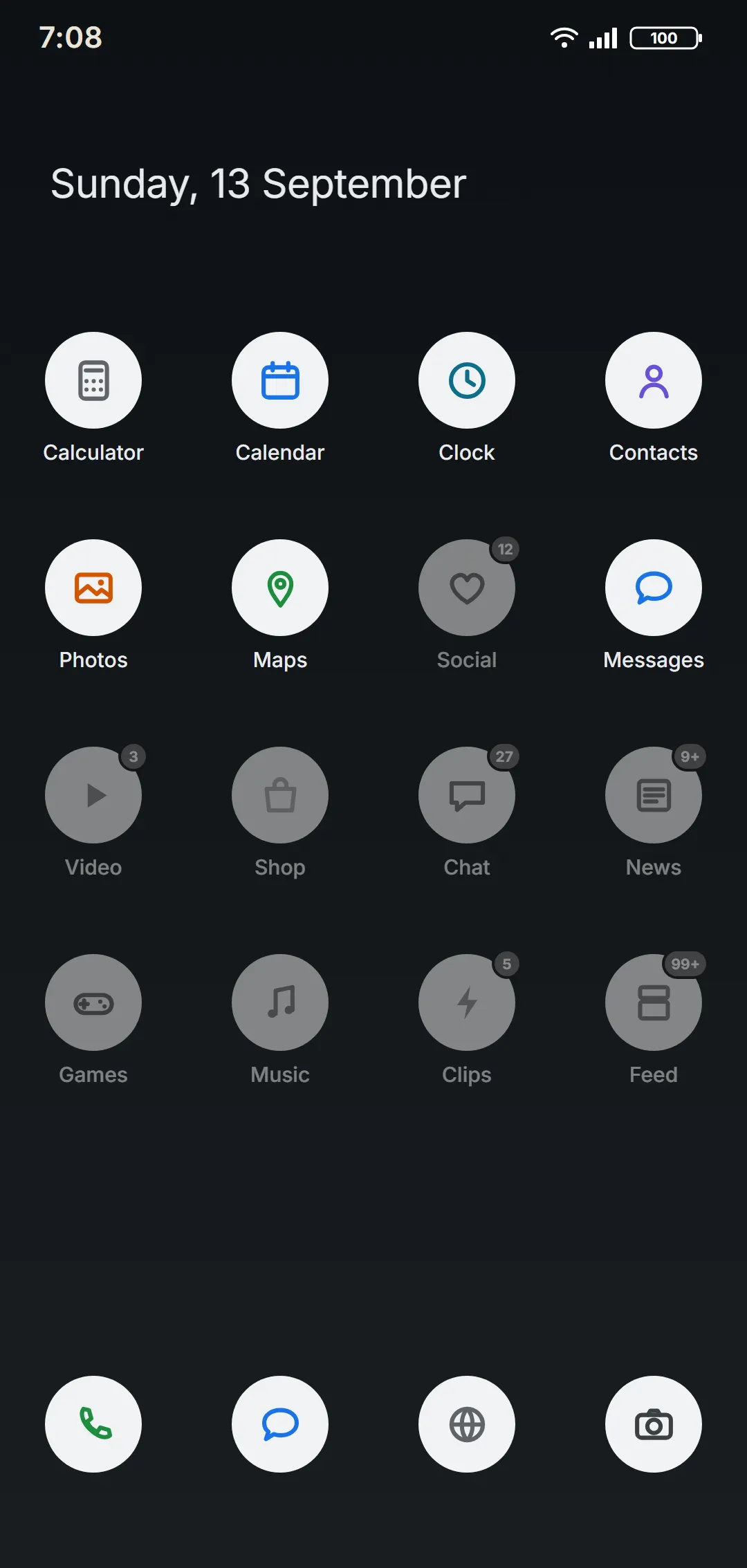
Before / after
Same phone. A calmer screen.
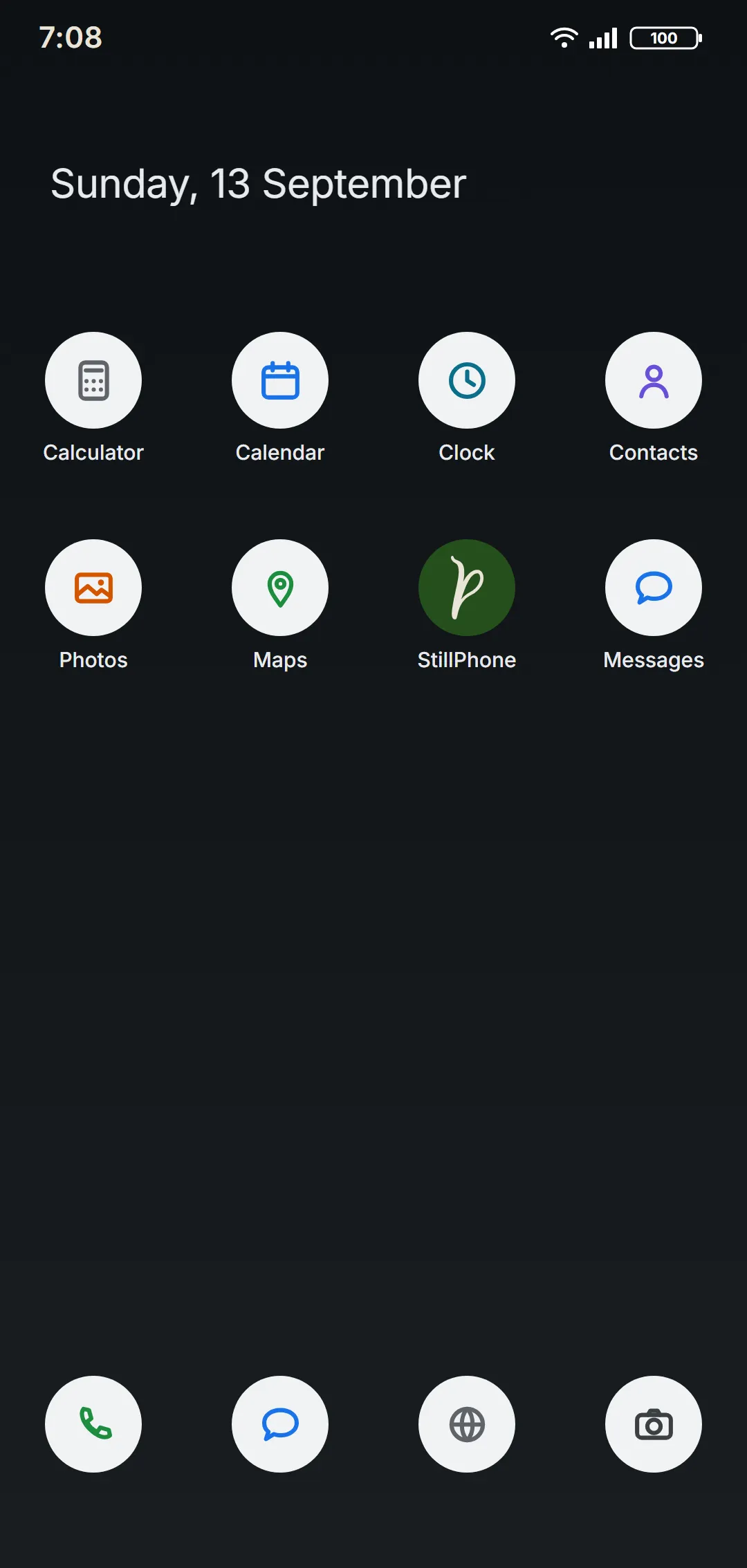
Your phone's familiar home screen stays; only the apps you chose show.
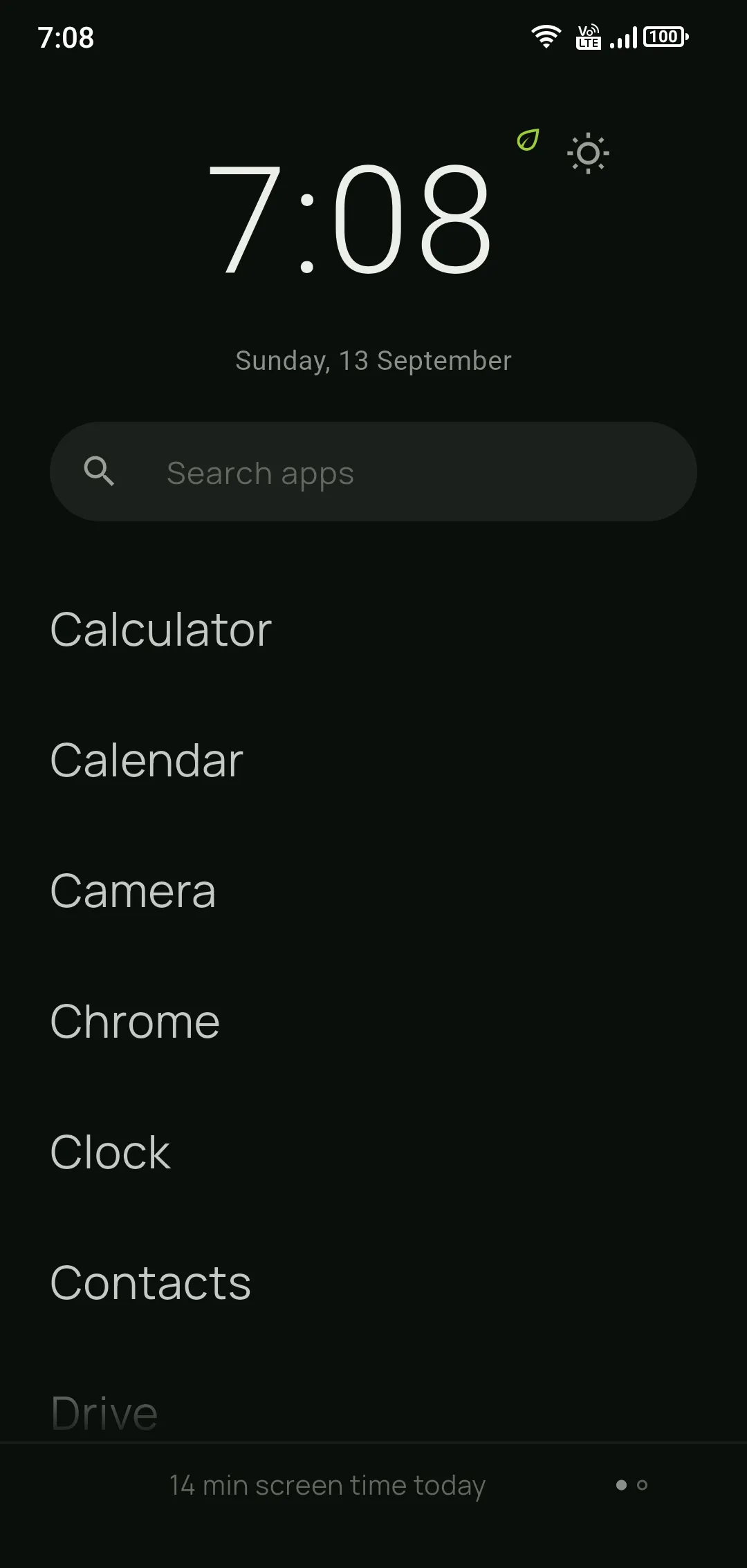
A plain list with no icons; a big clock and today's screen time.
No app is deleted. The ones you didn't pick are blocked and hidden, and your data stays on the phone. When you leave StillPhone, they all come back exactly as they were.
Student mode
A student phone for exam season.
The second page of your home screen becomes your study desk: a ready-made Pomodoro, a solved-question counter, days until your exam and your last 7 days at a glance. Distracting apps stay blocked.
- Pomodoro
- Question counter
- Exam countdown
- Last 7 days
- Step counter
- Stats
Pick “Student” during setup; you can switch later.
Why StillPhone
What makes it different from other app blockers?
The difference isn't price, it's how easily it's switched off. Paid or free, as long as it's an app it can be turned off or deleted with one tap. StillPhone works differently: it writes your decision into the phone itself, not into an app.
How it works
Six steps, about 10 minutes.
- 01
Get your phone ready
Settings › About phone › tap Build number 7 times; when it says “You are now a developer!”, developer mode is on. The wizard shows this step for your phone's brand.
- 02
Connect your phone
Turn on USB debugging on the phone and plug it into the computer; when the phone asks, tap “Allow”. The wizard finds your phone for you.
Put the phone and the computer on the same Wi-Fi. Turn on Wireless debugging on the phone and scan the wizard’s code with “Pair device with QR code”.
- 03
Choose what stays
What you click stays; the rest is hidden, never deleted. Give any app a time limit from its ⋯ menu.
- Stays
- Time limit
- Hidden
- 04
Set daily time limits
Give apps you don't want gone a daily time. Drag the handles on the bar to share the time between them.
- 05
Set your options, start setup
Choose how long leaving should take (24 hours is recommended) and, if you like, block distracting sites too. Press “Complete setup” and setup begins.
Your own home screen StillPhone screen 06Your phone gets calmer
Only what you chose stays, on your own home screen or StillPhone's: your pick. For the first 24 hours you can change your list freely; after that, leaving takes the wait you chose.
Time limits
Less, without deleting.
Some apps you don't want gone, just less of. For each one, you decide how many times a day it opens and for how long.
How many times, how long?
For example, Instagram: 2 times a day × 10 minutes = 20 minutes a day.
Open it; the time runs in the notification
The list shows today's use (0/20 min). Tap it and choose “Open”: your 10 minutes start and count down in the notification, which can't be swiped away. Leave the app and come back, and the time carries on where it was; when it's up, the app closes.
- Each app has its own time
- The clock stops when the screen is off or you're on a call
- Resets every midnight
- Not for essentials like phone, messages or banking
Why it sticks
Free for the first 24 hours. Then time steps in.
For the first 24 hours you set your list however you like, or leave without waiting — if you made the wrong choice, you fix it easily. After that the door isn't locked; time steps in front of it. You ask to leave whenever you want; once the wait you chose (hours or days — you choose) is up, you confirm it on the phone. You can cancel from the phone while it runs — so a decision made at midnight can be reconsidered in the morning. During the14-day free trial, though, you turn Detox mode on and off freely; that commitment starts only when you buy.
Why it's safe
This is your phone. It stays that way.
Your notifications, lock screen, and quick settings stay just as they are. Only access to the apps you chose is closed off; none of them are deleted. When you want to leave, you start it from the wizard, and after the wait you chose you confirm it on the phone.
Not giving up the phone — putting it back in its place
Neither extreme is livable.
At one end there is the day the phone becomes the point: five hours of scrolling and no memory of it. At the other end there is falling out of the century — a phone that can't open your bank, your work chat or your two-factor codes. Escaping the first by arriving at the second isn't a solution; it's a swap.
StillPhone aims at the middle: let the phone be a tool, not the point. You don't need a second device or a few hundred dollars for a minimalist handset — it installs on the Android phone you already own, from your computer, in a few minutes. Essential apps never close, and youdecide which apps stay — not a manufacturer's idea of a simple phone.
If one of these sounds like you
People arrive for different reasons.
- “I need to focus for a while.”Exams, a thesis, a new job — temporary but real.
- “I set the limit and I remove it myself.”Every self-set limit has a self-set exit.
- “I think it has become a habit I can't break.”Nine signs and what each one answers to.
- “I don't know which tool to trust.”Four mechanisms and when each one fails.
Start before the next notification arrives.
14 days free · no card needed · no subscription
Save this code somewhere. It's permanent — the same code works even if you change computers.
Do this step on your computer — your code is in your email too.
Other platformsDownload the wizard
Download the setup wizard to your computer.
A small program. It connects your phone and does the setup step by step. You get the setup code from your email and enter it in the wizard.
Setup happens on a computer
StillPhone is installed on the phone from a computer — you connect the phone over USB or the same Wi-Fi network. That's why the installer isn't meant for the phone.
Get your code now, install from a computer later.
If Windows shows an "Unknown publisher" warning: More info → Run anyway. This is normal — it appears for new unsigned software.